Free and open source for Scalable Capital investors

When will my portfolio reach my goal?

Zielzeit keeps the answer in your menu bar, read from your account through the official Scalable CLI — read‑only, no scraping, no credentials.

brew install --cask mannafee/tap/zielzeit

Requires macOS 15 or later and the official Scalable CLI.
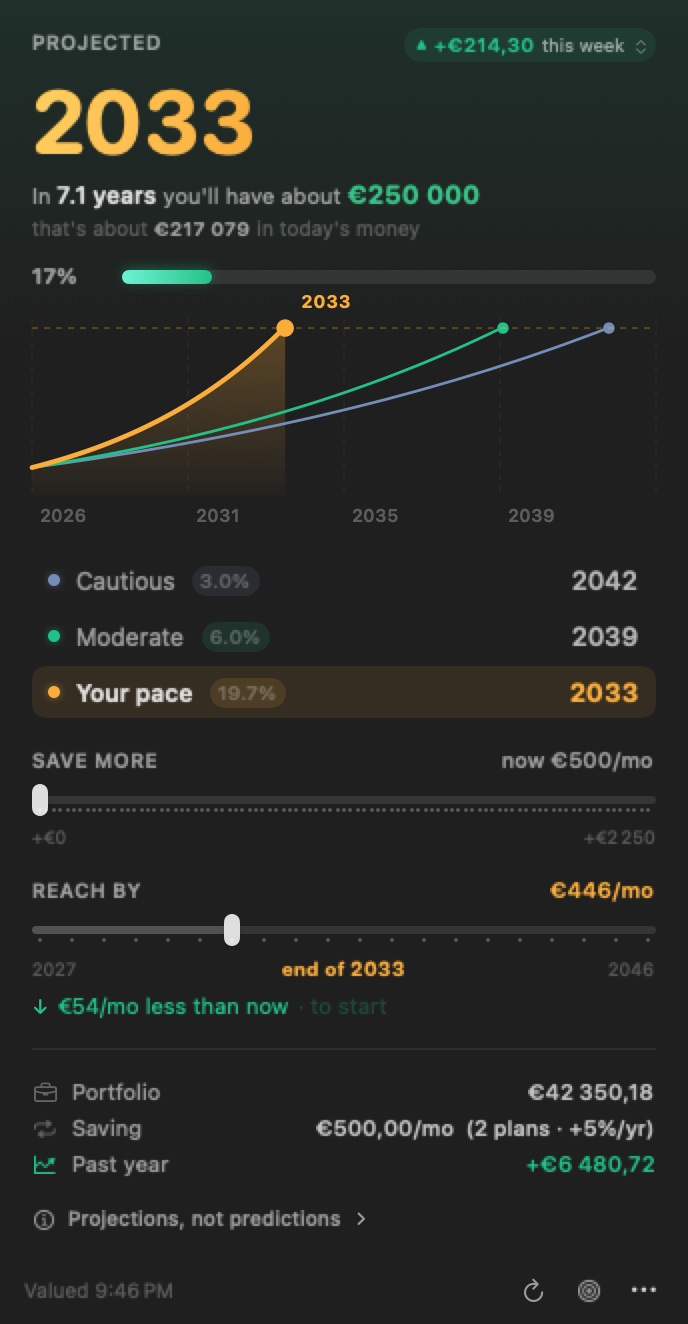
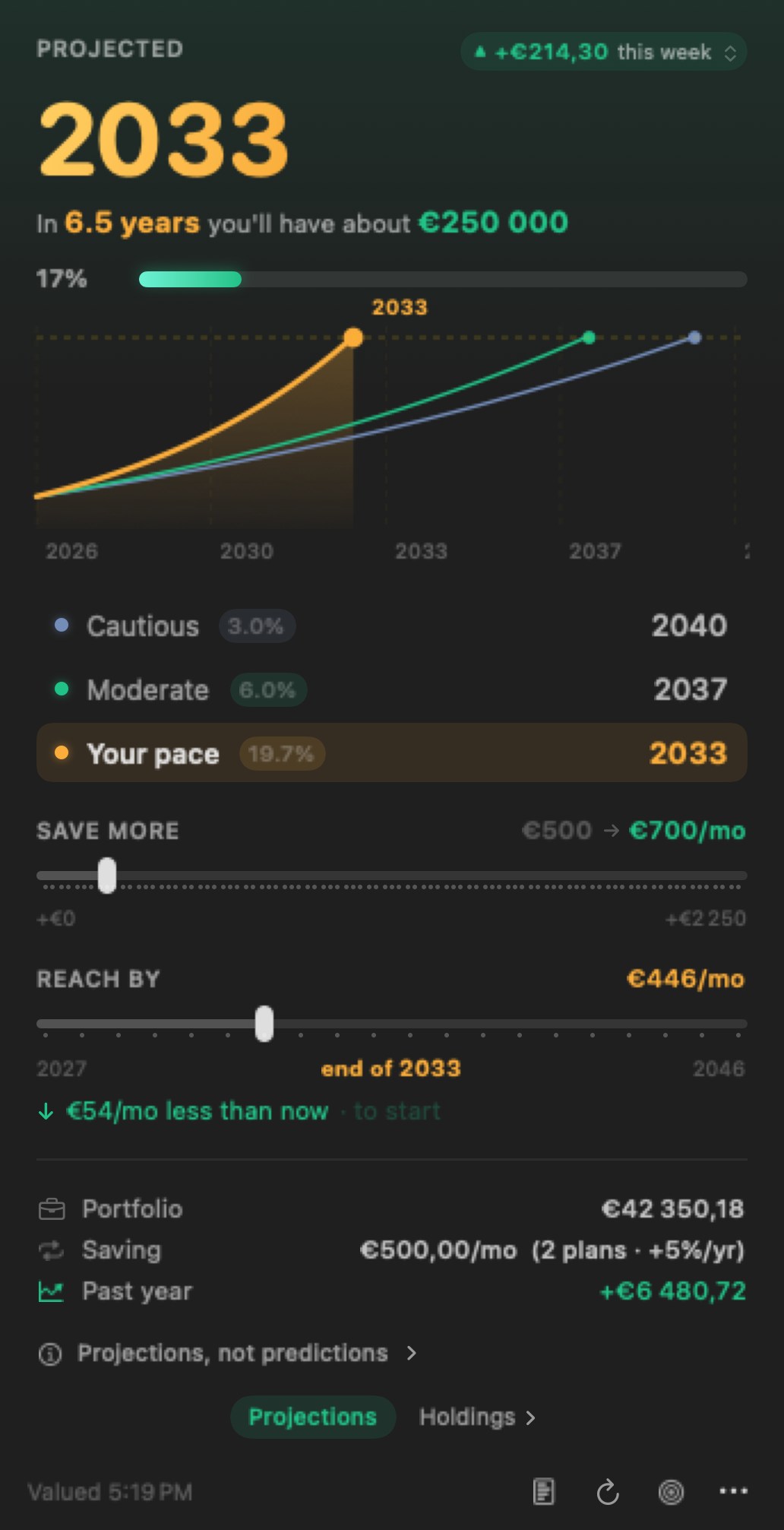
The Zielzeit popover: projected year 2033, a chart with three scenarios, two what-if sliders, and the portfolio facts

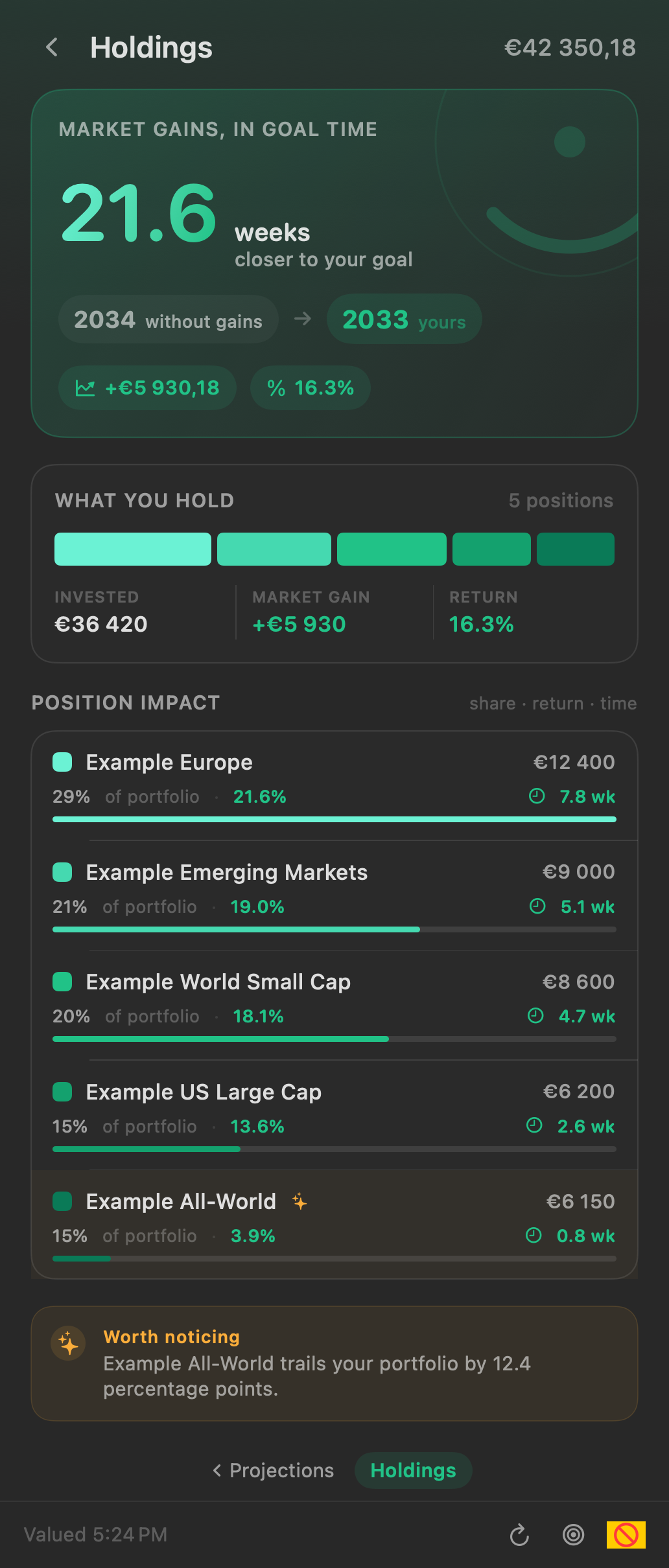
Every figure shown on this page is synthetic demo data, not a real account.

Silent, 25 seconds. What it says, in order:

  1. When will I actually get there?
  2. The year, in your menu bar.
  3. Three scenarios. Yours is measured, not assumed.
  4. Save more, and watch the year move.
  5. Read-only. Nothing leaves your Mac.

Every figure in the film is synthetic demo data, not a real account.

  • macOS 15+Sequoia or later
  • UniversalApple silicon and Intel
  • Read-onlyFive commands, no writes
  • No telemetryNo network code at all
  • MITOpen source, free forever

Safety

Read-only, and checked rather than promised

Zielzeit can run exactly five commands against your broker, and none of them writes. You do not have to take that on trust: each promise below is checked against the source code automatically, every time anything changes.

All seven checks passing as of the latest change. See the latest run ↗

Run the same check yourself

One command, in a copy of the source. It needs no Xcode, no account and no build, so you can run it before you download anything.

git clone https://github.com/Mannafee/zielzeit-scalable-capital
cd zielzeit-scalable-capital
make audit
Zielzeit audit  — against Sources/, not against the README

    broker write commands        none   the only broker verbs are overview, savings-plans, transactions
    broker commands enumerated   5      overview, savings-plans, transactions, whoami, installation-code
    networking code              none   no URLSession, Network.framework or socket API in the app
    shell invocation             none   one Process(), run by absolute path with an argument array
    credential access            none   no Keychain, no token, no read of the CLI's session
    values stored on disk        3      goal, language, hasRequestedAccess — no figures
    third-party dependencies     1      Sparkle, the updater — nothing else

7 of 7 checks passed.  Re-run with -v for every search and its output.

Add -v and it prints every search it made, so a passing run is evidence rather than a green tick. And SECURITY.md states what no automated check can cover — including the two things that are true and not reassuring.

It cannot trade, sell, or move money

The five commands it may run are listed in one place in the code, and there is no route to a sixth. Signing in the way the setup asks also puts the session itself in read-only mode, so the command-line tool blocks every write — whether or not you trust this app.

It never sees your password or your 2FA

You sign in yourself, in your own Terminal window, exactly as Scalable Capital asks. Zielzeit types the command in and stops there: it never runs it, never sees what you enter, and never touches the session afterwards.

Your data cannot leave your Mac

There is no internet code in the app at all — no analytics, no tracking, no account to sign up for. Your figures go from the broker's own tool to the screen and no further. The one thing Zielzeit fetches is its own update feed, which carries nothing about you.

It keeps three values, and no figures

Your goal amount, your language, and whether you have emailed for beta access. No balance, no holdings, no name — those are fetched, shown, and forgotten when the app quits.

macOS will warn you once

The download is signed but not notarized, which needs a paid Apple Developer account this project does not have. Open System Settings → Privacy & Security and click Open Anyway. Once, ever.

It is not sandboxed, and cannot be

A sandboxed app cannot launch another program, and Zielzeit's whole job is to run the command-line tool you installed. What limits it is that it is small, open and readable end to end, not an OS boundary.

Features

A year you can see without opening anything

Three scenarios on one chart

Cautious at 3%, moderate at 6%, and your own pace: the return your portfolio actually achieved over the trailing year, measured with the simple Dietz method. Each curve stops where it meets the goal.

The headline uses your pace, not a house assumption, so the year moves with how you are actually doing.

The projection chart with three curves, and the scenario list showing cautious 3.0% arriving 2042, moderate 6.0% arriving 2039, and your pace 19.7% arriving 2033

Two what-if sliders, both ways round

Save more previews what another €200 a month does to every projection, live, without changing anything in your broker.

Reach by inverts it: pick a year, get the monthly contribution that lands on it.

The save more slider being dragged: the projected year counts down from 2033 to 2030, the sentence goes from 7.1 years to 3.5, and all three projection curves steepen to meet the goal line sooner

Measured, not guessed

Your contributions are walked from a year of real transactions, not inferred from today's savings plan rate. On a live account that difference was over a full percentage point.

Inflation is on screen too: the goal restated in today's money, not hidden behind a toggle.

The portfolio facts: portfolio €42 350,18, saving €500,00 a month across two plans with a 5% yearly step-up, and past year +€6 480,72

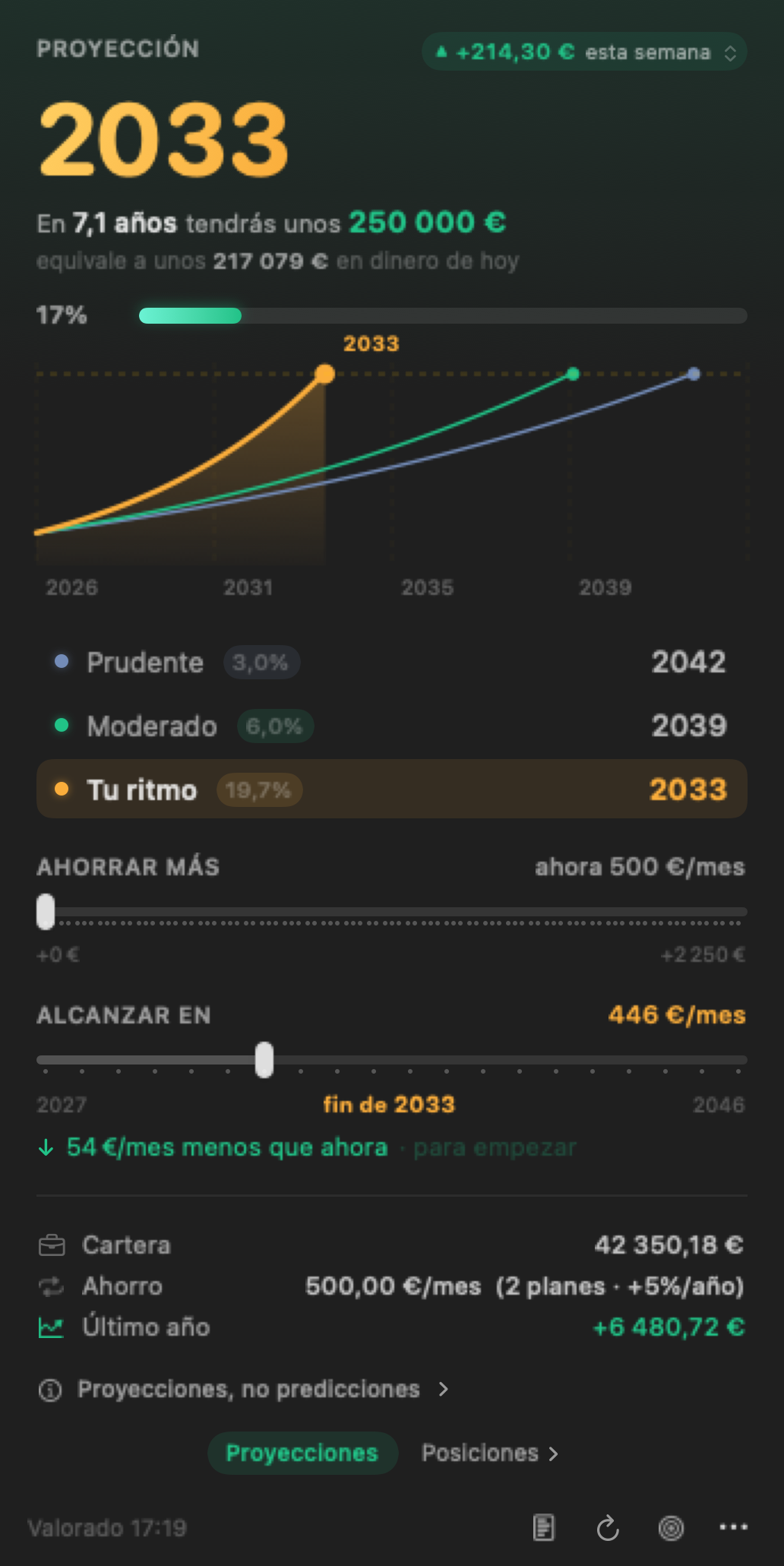
English and German

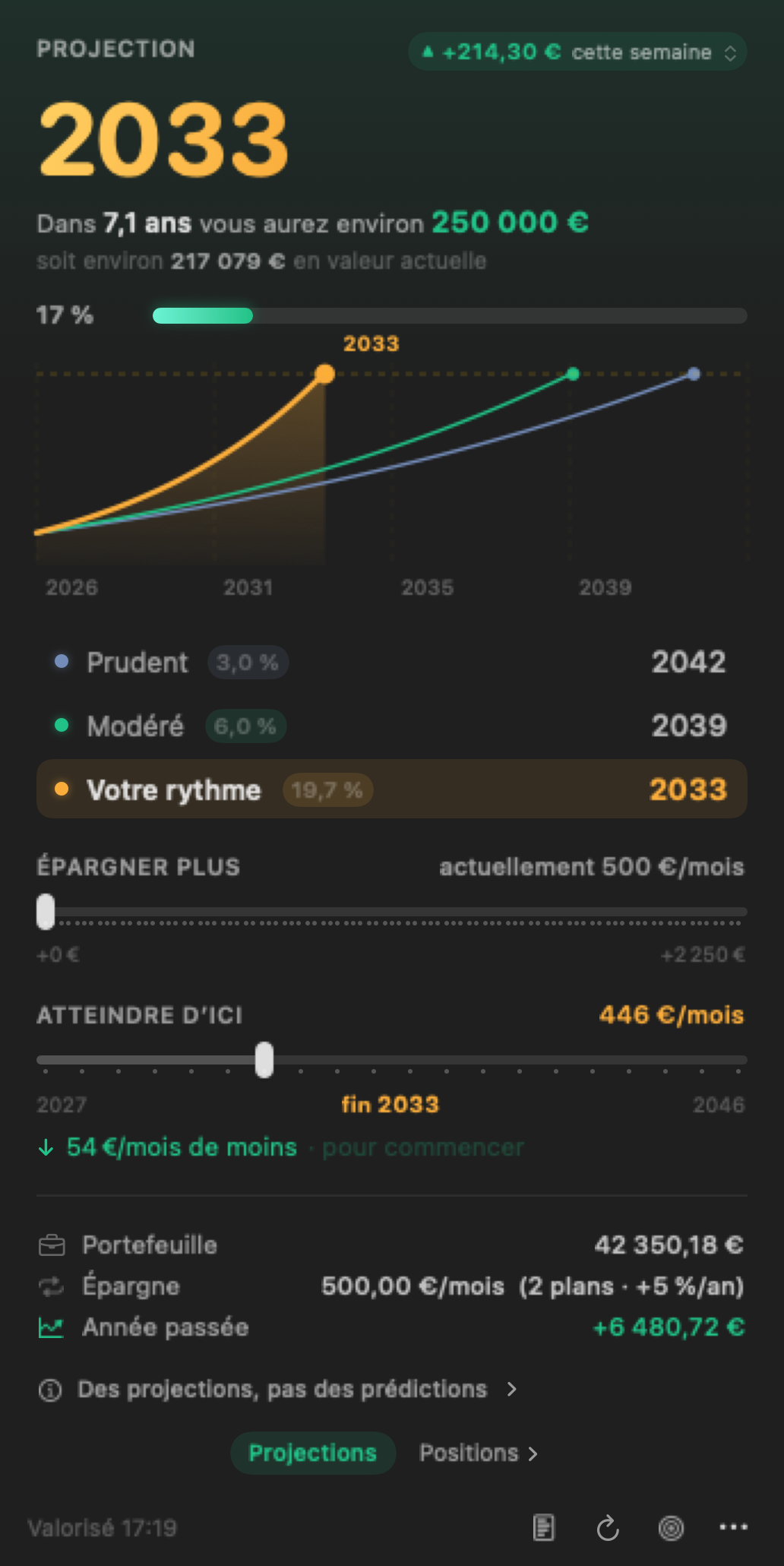
Picked from your Mac's language and switchable in the app. Amounts follow it too: €250 000 in English, 250 000 € in German.

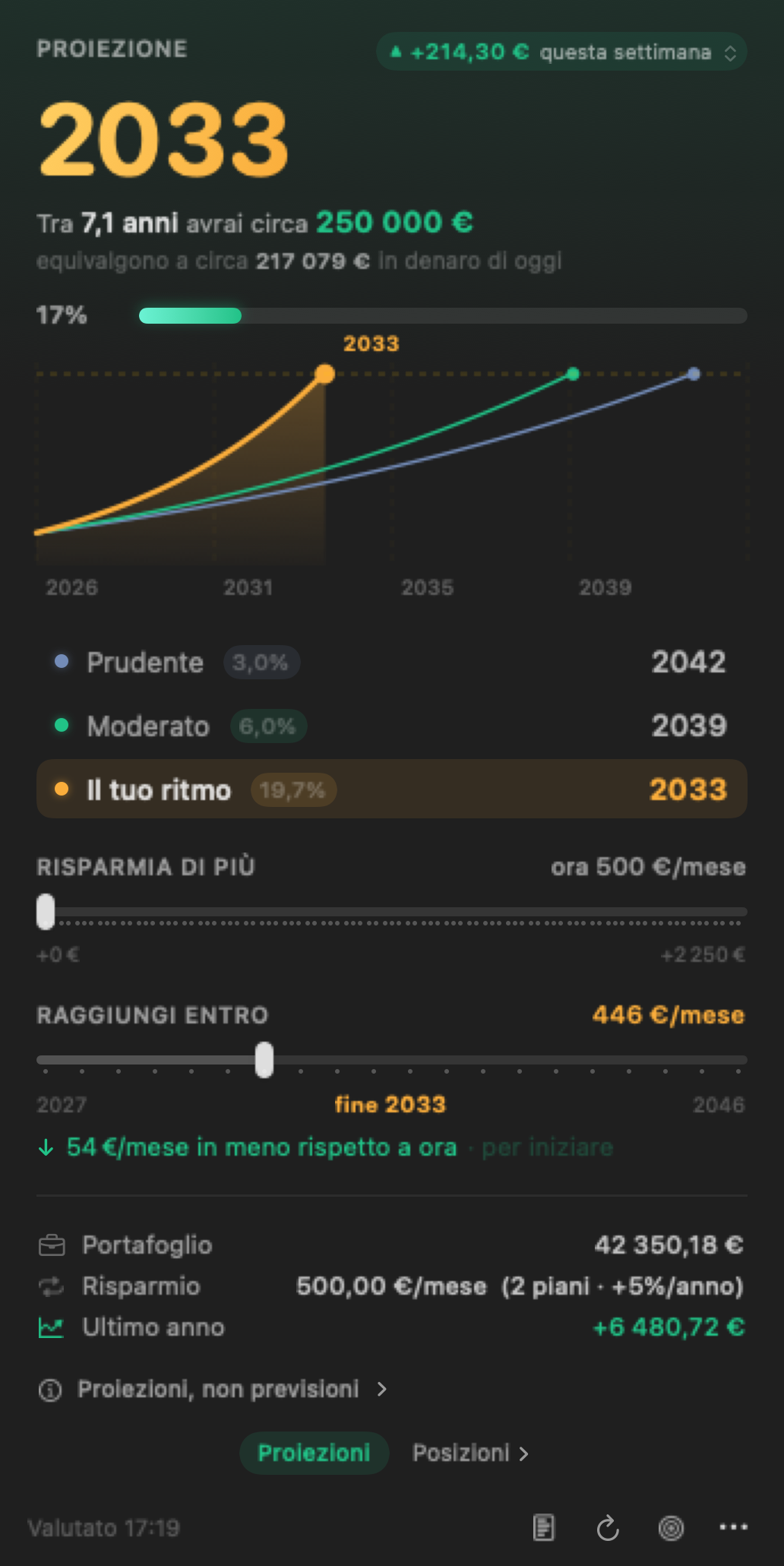
The same popover in German: Prognose 2033, In 7,1 Jahren hast du etwa 250 000 €

Setup

Three steps, one of them an email

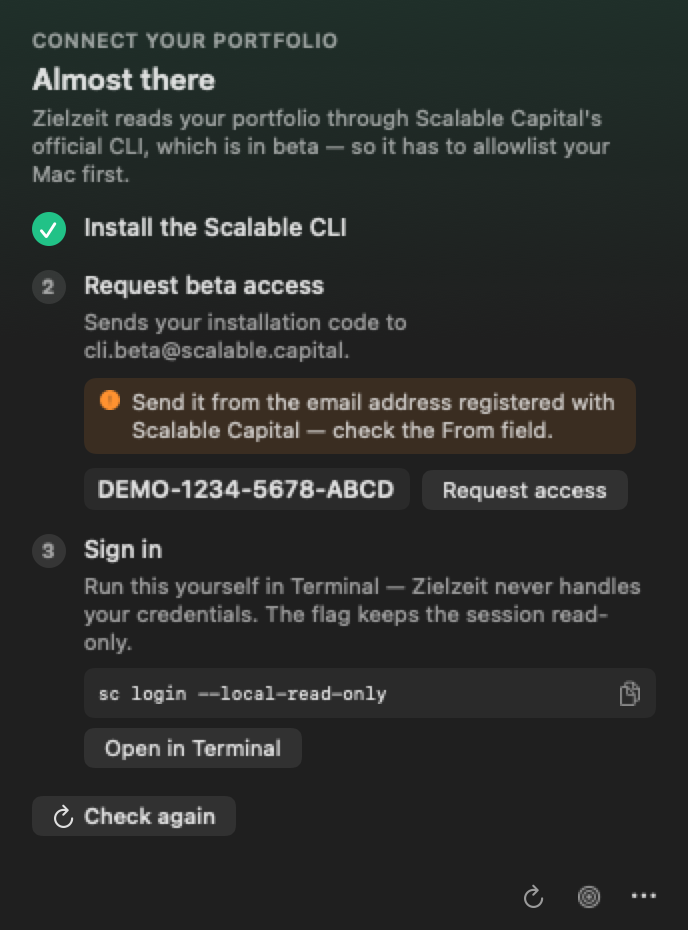
The Scalable CLI is in beta and gated: Scalable Capital has to allowlist your machine before it can log in at all. The app walks you through all three steps on first launch.

  1. Install the CLI

    From Scalable Capital's own Homebrew tap. Zielzeit never bundles the binary — their guidance is to trust only official artifacts.

    brew install scalable-cli
  2. Request beta access

    Zielzeit reads your installation code and opens a prefilled email to cli.beta@scalable.capital. Nothing to compose.

    Send it from the address registered with Scalable Capital. They match the request by sender, and one from any other address is silently never answered. A mailto: link opens your default account, which often is not that one — check the From field.

  3. Sign in yourself

    An OAuth device-code flow, in your Terminal and your browser. --local-read-only stores the session in locally enforced read-only mode.

    sc login --local-read-only
Zielzeit's onboarding checklist: install the CLI, request beta access, sign in, each with a copy button
The same three steps, inside the app.

Or build it yourself

About a minute, and no Gatekeeper prompt.

git clone https://github.com/Mannafee/zielzeit-scalable-capital.git
cd zielzeit-scalable-capital
make run

Put the year in your menu bar

If it is useful to you, a star on the repository is the cheapest way to say so.